
🎥 Watch: Cancellation Reasons Setup
Steps to Add Cancellation Reasons
NOTE: Only Manager-level users and those with access to the [Integrations] page are able to make these changes to the organization.
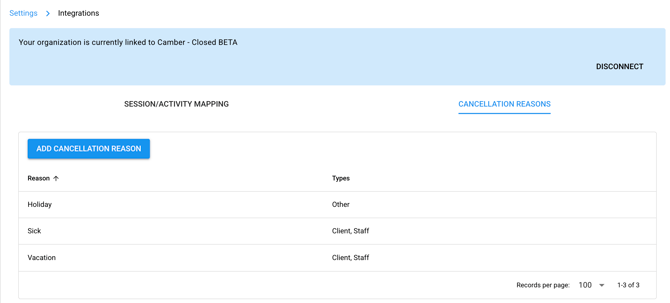
1. Navigate to the [Integrations] page. [Settings] >> [Organization] >> [Integrations]
2. Click the tab named [Cancellation Reasons]
3. Click the button [Add Cancellation Reasons]
4. Add a [Reason] and select a [Type].
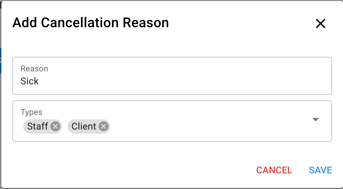
5. Click [Save]
6. The options created here will be available to users.
Steps to Edit User Privileges
NOTE: Only Manager-level users are able to make changes to the [User Privileges] page.
1. Navigate to [User Privileges]. [Settings] >> [Organization] >> [User Privileges]
2. Scroll to the [Activities] section and click the button to expand
3. Check on [Allow appointment cancellation requests] for the users who need access.

4. Now users will have access to cancel appointments on the Hi Rasmus side.