For more details on how to review completed activities in Hi Rasmus check our our article on reporting and auditing across clients HERE
Steps to View Completed Lumary Session History & Notes
1. Navigate to the client's history tab. Click on the client name in the drop-down >> Select [History] >> Select the [Activities] tab.
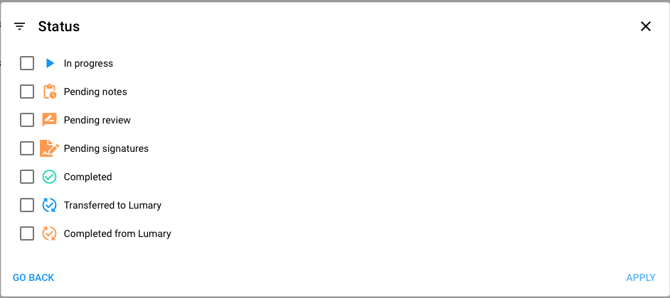
When viewing the list of sessions, an icon with a green check mark and arrows circling around the check mark means a session was successfully rendered to Lumary. 

💡For a video walk-through and more information on the Timeline and Activities capabilities, click here.
See Lumary Activity Status Icons in Hi Rasmus: